Answers
Why is my cloud cost estimate zero or incomplete?
Cloudeval helps you investigate an incomplete Azure cost estimate instead of relying on the headline total. Open Cost & FinOps to inspect pricing coverage, unmatched resources and usage assumptions, then check the affected resource and supporting evidence. Missing prices and zero estimates do not establish that infrastructure is free.
Where Cloudeval is a strong fit
Understand the architecture and its dependencies
Explore architecture and dependency views, then inspect a resource and its properties.
Explore the diagram workflowConnect a finding to the resource and evidence
Investigate supported findings alongside source context, resource details and coverage.
Investigate a findingAsk AI questions with project context
Ask about resources and report findings using the context already in your project.
Understand an inherited Azure environmentCarry the review into your team's workflow
Use CLI/MCP workflows and export diagrams or available report evidence for your team.
Explore review exportsTurn a diagram into a guided investigation
When a written answer is not enough, AI Guide walks through the architecture or dependency view, highlights the resources under discussion, and keeps the explanation, evidence, and next check together.
Personas adjust the emphasis for executive, architecture, security, or operations reviews. They do not change the available project evidence.
See how AI Guide works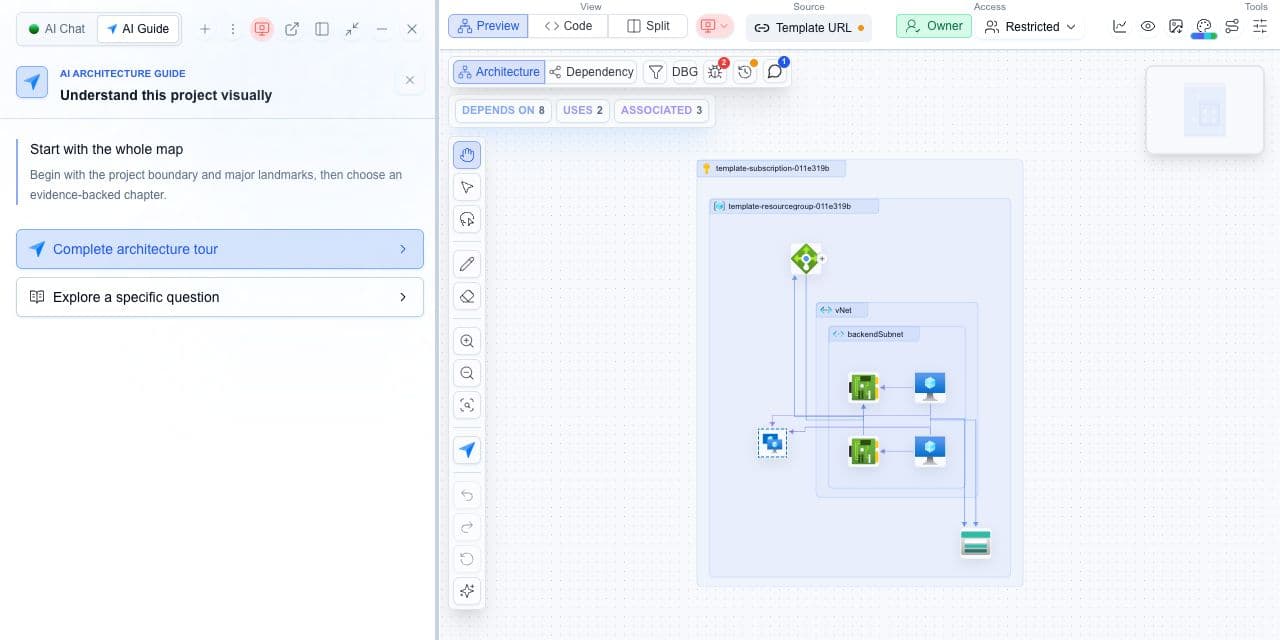
What you need
- A completed Azure cost report.
- The resource region, SKU and available usage assumptions.
What you get
- A distinction between priced, unmatched and usage-dependent resources.
- A list of missing inputs to resolve before using the estimate.
Check what was actually priced
- Open the project report and select Cost & FinOps.
- Check the pricing coverage and identify unmatched or usage-dependent resources.
- Compare the resource region, SKU, unit and usage assumptions with the source configuration.
- Separate monthly cost, annual cost and modeled savings before comparing amounts.
- Resolve missing inputs and rerun the relevant cost assessment before relying on a changed total.
A resource matches a price but still needs usage
A service may have a matching price entry but no monthly estimate until a consumption assumption is available. Preserve that resource in the review and document the missing input. Fully priced resources are a subset of matched resources, not another category to add to the total.
Cloudeval Azure pricing coverage does not establish AWS cost coverage. CloudFormation review is a separate static assessment workflow.
A later architecture-only report is not a new cost observation. Compare cost runs only when resource scope, currency and usage assumptions are comparable.
