Answers
How do I check whether a cloud security finding is valid?
Cloudeval brings a security finding together with the resource, source and available evidence you need to investigate it. Open Security & Compliance and Resources, inspect the native rule and evaluated property, and compare the result with the source. Resolve missing inputs before suppressing a finding or changing infrastructure.
Where Cloudeval is a strong fit
Understand the architecture and its dependencies
Explore architecture and dependency views, then inspect a resource and its properties.
Explore the diagram workflowConnect a finding to the resource and evidence
Investigate supported findings alongside source context, resource details and coverage.
Investigate a findingAsk AI questions with project context
Ask about resources and report findings using the context already in your project.
Understand an inherited Azure environmentCarry the review into your team's workflow
Use CLI/MCP workflows and export diagrams or available report evidence for your team.
Explore review exportsTurn a diagram into a guided investigation
When a written answer is not enough, AI Guide walks through the architecture or dependency view, highlights the resources under discussion, and keeps the explanation, evidence, and next check together.
Personas adjust the emphasis for executive, architecture, security, or operations reviews. They do not change the available project evidence.
See how AI Guide works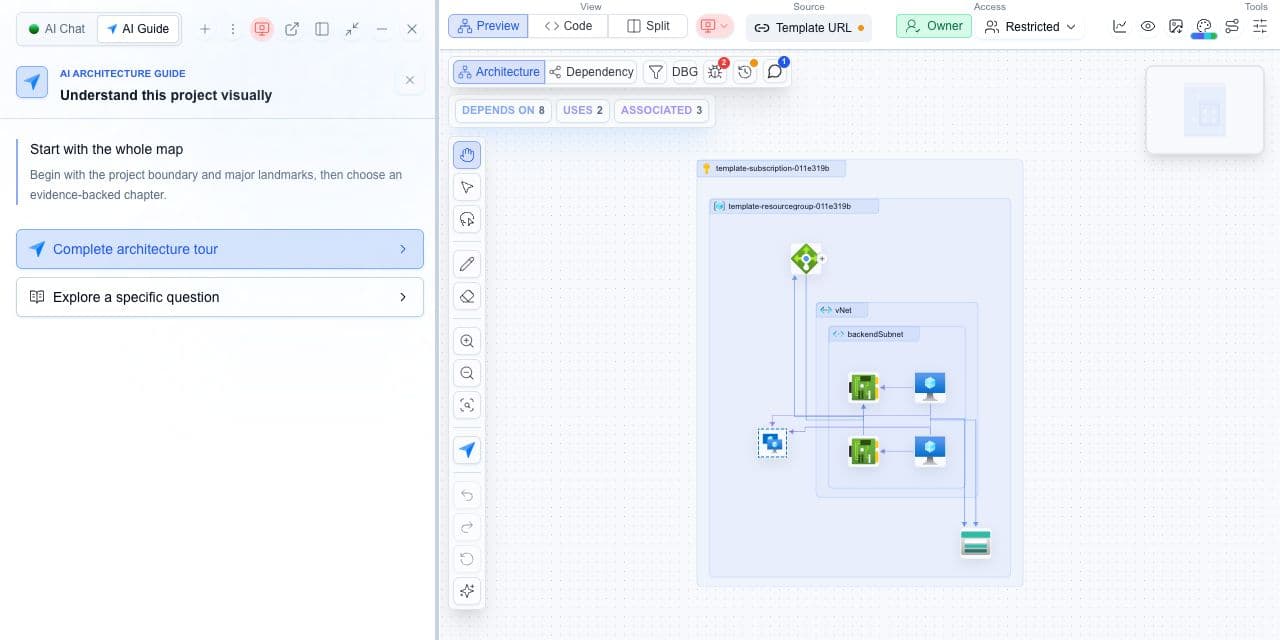
What you need
- A security finding and its affected resource.
- Access to the evaluated template or collected snapshot.
What you get
- A trace from the native rule to the evaluated property.
- A rerun or an explicit unresolved evidence gap.
Trace the finding before changing infrastructure
- Open Security & Compliance and select the finding you need to investigate.
- Identify the affected resource and compare its properties with the template or collected snapshot.
- Retain the source scanner, native rule ID and file or line reference when supplied.
- Check whether missing parameters, unresolved references or incomplete collection could change the conclusion.
- Correct the source or missing context, rerun the same check, and record the new result before closing the finding.
Keep the original rule beside the mapped control
A canonical control groups related observations for review. The native rule identifies the check that produced a finding. Preserve both when supplied; a shared control label does not mean two scanners executed identical tests. Severity, confidence and configured gate impact also answer different questions.
Cloudeval provides context for investigation; it does not guarantee that scanner false positives are eliminated. A static CloudFormation check cannot prove live access or traffic.
Not assessed, not selected and failed collection are not passing results. If a source reference is missing, leave the conclusion unresolved until you can inspect the evidence.
