Answers
How do I review CloudFormation before deployment?
Cloudeval helps you inspect a CloudFormation design before deploying it: import supported JSON or YAML, explore resource relationships and investigate available static findings against the source. Static CloudFormation evaluation is in beta. Check actual run status and coverage; use cfn-lint for reproducible template validation and distinguish template evidence from live AWS state.
Where Cloudeval is a strong fit
Understand the template before deployment
Import supported JSON or YAML and explore the resources and relationships before deployment.
Review a CloudFormation templateInvestigate findings against their source
Trace available static findings to the affected resource, rule and source context.
Trace a finding to evidenceMake coverage part of the decision
See imported resources and assessment gaps separately. CloudFormation review is in beta.
Check inventory and assessment scopeBring concrete evidence into the wider review
Bring diagrams and source evidence into design discussions and workload reviews.
Follow the CloudFormation workflowTurn a diagram into a guided investigation
When a written answer is not enough, AI Guide walks through the architecture or dependency view, highlights the resources under discussion, and keeps the explanation, evidence, and next check together.
Personas adjust the emphasis for executive, architecture, security, or operations reviews. They do not change the available project evidence.
See how AI Guide works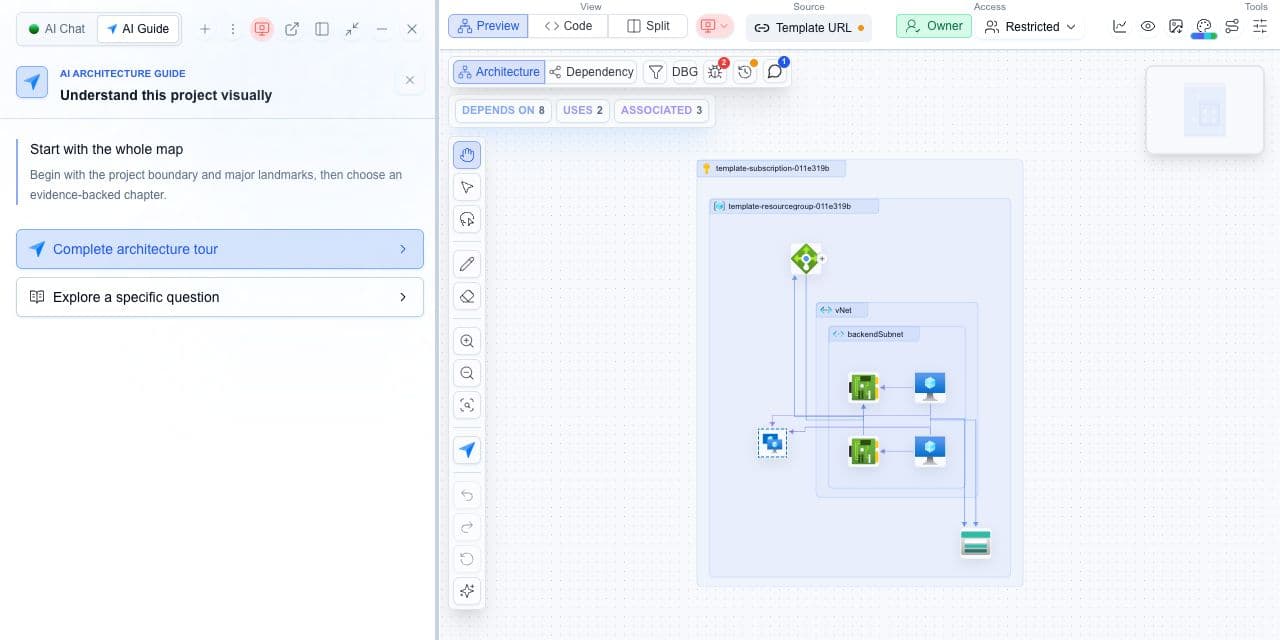
What you need
- A CloudFormation JSON or YAML template.
- cfn-lint for local checks; a Cloudeval account for project evaluation.
What you get
- Static-check results tied to a source revision.
- A corrected template and rerun result for the checks you executed.
Verify the template and the assessment separately
- Identify the CloudFormation template entry point and the exact source revision.
- Run cfn-lint against the JSON or YAML input and inspect each native rule and reported location.
- Import or connect the source using the documented CloudFormation workflow and inspect the supported project scope.
- Check which evaluation steps actually ran and preserve skipped or unsupported areas as not assessed.
- Correct the template, rerun the relevant checks and keep the new result tied to the corrected revision.
- Run template syntax checks first, then policy checks, then the Cloudeval pull-request review, and use a change set for account-aware impact before execution.
- Read each finding by rule, resource and source revision; keep skipped or unsupported checks visible as not assessed.
- Use the public example PRs as demonstrations of the workflow, not as proof of coverage for every template.
- Use cfn-lint for schema and resource-property errors, cfn-guard or Checkov for policy checks, and a change set for account-aware impact before execution.
- Compare each tool result by source revision and preserve skipped or unsupported areas as not assessed.
An unresolved Ref is a concrete failure
If a Ref names a logical ID that does not exist, compare it with declared resources and parameters. Correct the reference and rerun the same checker. Passing that rerun resolves the demonstrated reference error; it does not establish deployed reachability or a complete security assessment.
Cloudeval CloudFormation support is static and beta. Shared report controls shown here do not imply Azure pricing support or live AWS collection for an imported template.
A successful CI job can contain skipped evaluation steps when required configuration is missing. Open the actual review step and check its result before treating the job as assessment evidence.
What tools do code analysis on CloudFormation templates?
cfn-lint checks CloudFormation syntax and best-practice resource rules, cfn-guard evaluates policy rules you write, and Checkov scans templates for security misconfigurations. A pre-deployment architecture review is a separate step that looks at the whole design, cost, and dependencies.
| Tool | What it checks | When it runs |
|---|---|---|
| cfn-lint | Syntax and best-practice linting of CloudFormation resources and properties. | Locally or in CI, before a deploy. |
| cfn-guard | Policy rules you write for the template. | Locally or in CI, before a deploy. |
| Checkov | Security misconfiguration scanning. | Locally or in CI, before a deploy. |
| Cloudeval | Static review of CloudFormation JSON or YAML. AWS CloudFormation support is beta. Coverage is Azure, plus AWS CloudFormation (beta). No live AWS connection. | On an imported template, or as a pull-request review before merge. |
Frequently asked questions
enforcement: comment_only or enforcement: block_pull_request under ci.gates in .cloudeval/config.yaml to choose whether a failed gate blocks the merge.