Answers
How do I check whether my cloud inventory is complete?
Use Cloudeval to inspect what your project contains and investigate gaps in its inventory. Open Resources to review resource identities and findings, compare them with the selected source scope, and check import or sync status. Inventory coverage is specific to the supported input and does not establish that every resource was assessed.
Where Cloudeval is a strong fit
Understand the architecture and its dependencies
Explore architecture and dependency views, then inspect a resource and its properties.
Explore the diagram workflowConnect a finding to the resource and evidence
Investigate supported findings alongside source context, resource details and coverage.
Investigate a findingAsk AI questions with project context
Ask about resources and report findings using the context already in your project.
Understand an inherited Azure environmentCarry the review into your team's workflow
Use CLI/MCP workflows and export diagrams or available report evidence for your team.
Explore review exportsTurn a diagram into a guided investigation
When a written answer is not enough, AI Guide walks through the architecture or dependency view, highlights the resources under discussion, and keeps the explanation, evidence, and next check together.
Personas adjust the emphasis for executive, architecture, security, or operations reviews. They do not change the available project evidence.
See how AI Guide works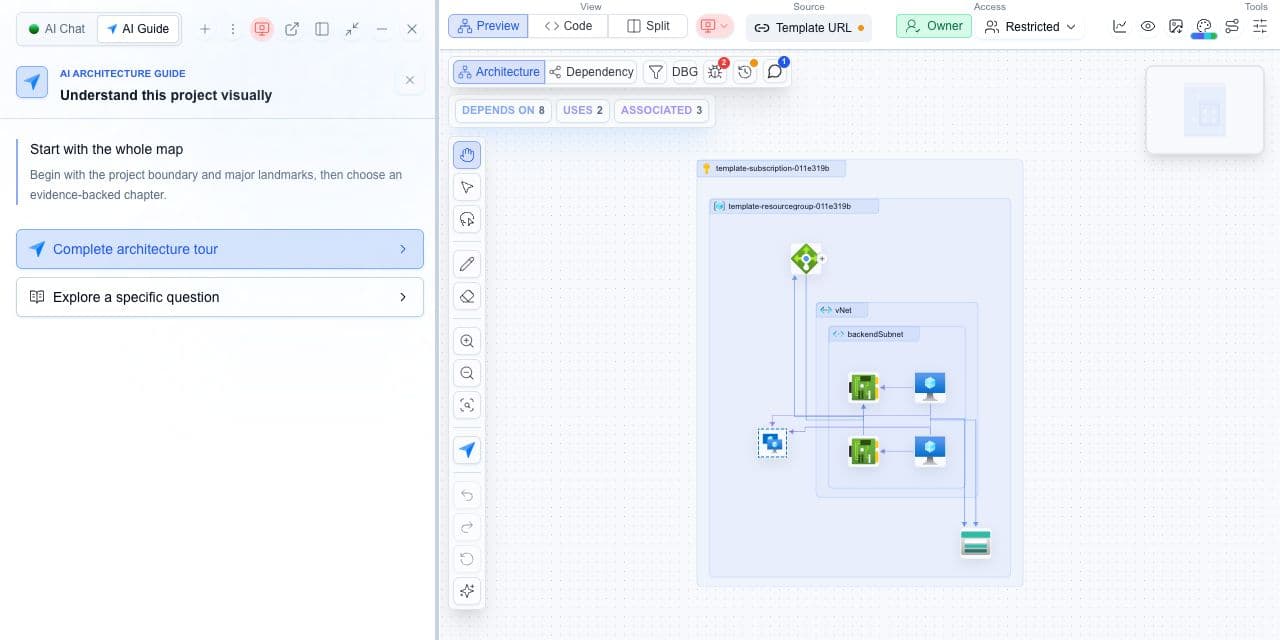
What you need
- The expected source scope or template Resources list.
- The last completed import or sync status.
What you get
- A reconciliation of expected and visible resources.
- An inventory handoff that retains filters and source context.
Reconcile the inventory with your source
- Confirm whether the project uses an imported template or a live connection.
- Record the source revision or last completed sync and the selected scope.
- Search Resources for an expected logical ID or resource name, then clear filters before deciding it is absent.
- Check parameters, conditions, linked files and supported resource types when an imported resource is missing.
- When exporting inventory, retain the active filters and columns and compare the downloaded rows with the intended scope.
A missing row needs a scope check
A resource outside the selected source cannot be expected in that project. For CloudFormation, compare logical IDs with the template Resources section and review unresolved conditions or references. A template-defined resource is not proof that a corresponding deployed resource exists.
Cloudeval inventory and export coverage depend on the project input. Do not describe a static CloudFormation inventory as complete live AWS discovery.
An empty view may be filtered, incomplete or based on a failed refresh. Check the latest successful snapshot and diagnostics before treating it as an empty environment.
