How do I review a Bicep or ARM template before deployment?
Quick answer
Compile Bicep to ARM JSON, import it into Cloudeval, and inspect architecture, dependencies, findings and cost signals before deployment.
Use Azure validate or what-if where you have the required scope; static review does not replace those checks.
Start here
Use this to
Review a Bicep or ARM change before deployment without needing live Azure access.
Best source to use
Start by compiling Bicep to ARM JSON. That gives Cloudeval the resource model it can diagram and review.
What you need
- Azure tooling that can compile Bicep to ARM JSON.
- A Cloudeval account.
- The compiled ARM JSON file or supported repository URL.
What you get
- A Cloudeval project based on compiled Bicep output.
- Architecture and dependency diagrams.
- Reports, exports, and AI answers based on the generated ARM resources.
Get started
- 1Compile the Bicep file to ARM JSON with the normal Azure tooling.
- 2Create a Cloudeval project using the compiled ARM JSON.
- 3Open the project diagram to inspect architecture grouping and dependencies.
- 4Run reports to attach cost, security, and architecture evidence where available.
- 5Ask Cloudeval AI to explain specific resources, risks, or report findings.
- 6Export the diagram for review or documentation.
- 7Review the topology for unexpected public exposure, identity paths, subnet boundaries, and dependencies before deployment.
- 8Use the report scope and source revision to separate imported inventory from checks that actually ran.
- 9Carry the same project into CI so each pull request has a repeatable review result.
- 10Run the Bicep linter and az bicep build.
- 11Import the compiled ARM JSON and review the diagram, findings and cost signals.
- 12Run validate or what-if at the target Azure scope when authorized.
- 13Gate the pull request on the checks your team has chosen.
When this works best
Cloudeval reviews compiled ARM JSON.
It does not parse native Bicep, prove runtime behavior or provide compliance attestation.
Turn a diagram into a guided investigation
When a written answer is not enough, AI Guide walks through the architecture or dependency view, highlights the resources under discussion, and keeps the explanation, evidence, and next check together.
Personas adjust the emphasis for executive, architecture, security, or operations reviews. They do not change the available project evidence.
See how AI Guide works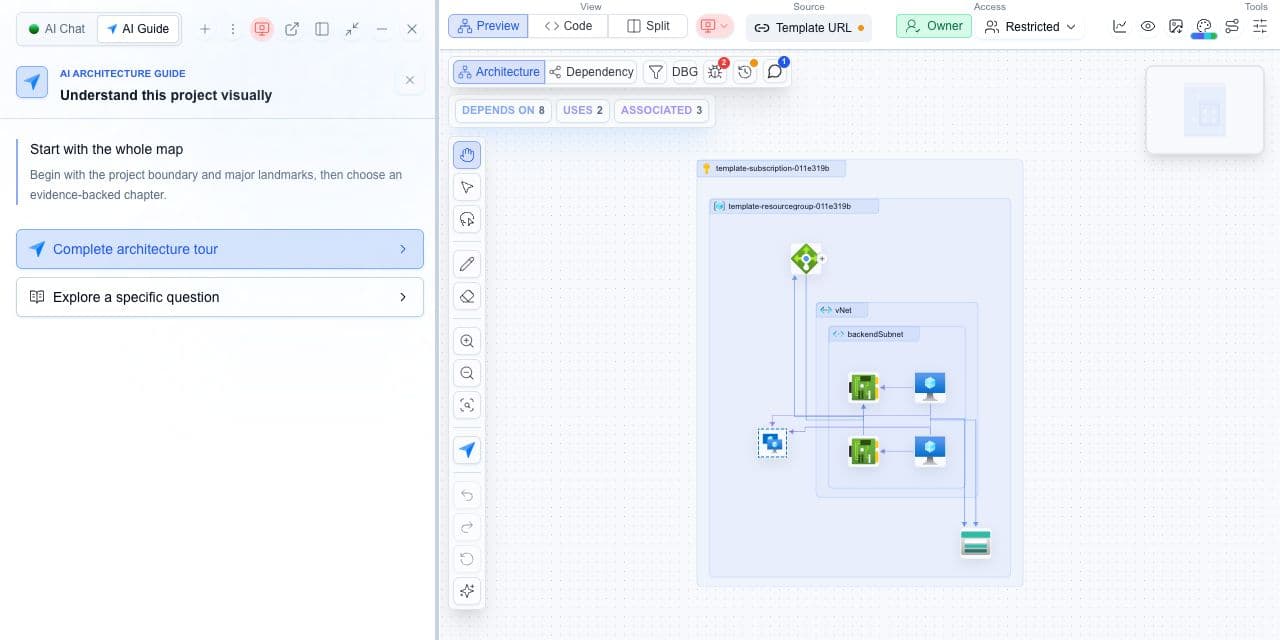
Decision guide
| Check | Cloudeval path | Note |
|---|---|---|
| Input | Compiled ARM JSON from Bicep. | Keep the original Bicep nearby for code review context. |
| Diagram output | Resource and dependency views. | Review both before deployment. |
| AI answers | based on Cloudeval project and report context. | Quality depends on imported context. |
| Automation | CLI can help create projects and run reports. | Use scoped credentials in CI. |
Layer the checks before deployment
Run the Bicep linter and az bicep build, import the compiled ARM JSON, inspect the dependency view and findings, then run what-if at deployment time when you have Azure access.
Terminal and agent workflow
- Use Azure tooling to compile Bicep before creating the Cloudeval project.
- Use the Cloudeval CLI to create, open, ask, and export from the resulting project.
- Agents using MCP can ask Cloudeval for project and report context after the project exists.
How to trust the result
- Compile Bicep to ARM JSON so Cloudeval sees the deployable resource model.
- Remember that compiled output does not show every authoring choice from the original Bicep module.
- Review generated resources and parameters before relying on the diagram.
