Answers
How do I convert an ARM template to an architecture diagram?
Import an ARM JSON file or a GitHub template URL into a Cloudeval Azure project to generate architecture and dependency diagrams before deployment. No live Azure connection is needed. For Bicep, compile to ARM JSON first. Inspect resources, dependencies and report findings alongside the source.
Where Cloudeval is a strong fit
Understand the architecture and its dependencies
Explore architecture and dependency views, then inspect a resource and its properties.
Explore the diagram workflowConnect a finding to the resource and evidence
Investigate supported findings alongside source context, resource details and coverage.
Investigate a findingAsk AI questions with project context
Ask about resources and report findings using the context already in your project.
Understand an inherited Azure environmentCarry the review into your team's workflow
Use CLI/MCP workflows and export diagrams or available report evidence for your team.
Explore review exportsTurn a diagram into a guided investigation
When a written answer is not enough, AI Guide walks through the architecture or dependency view, highlights the resources under discussion, and keeps the explanation, evidence, and next check together.
Personas adjust the emphasis for executive, architecture, security, or operations reviews. They do not change the available project evidence.
See how AI Guide works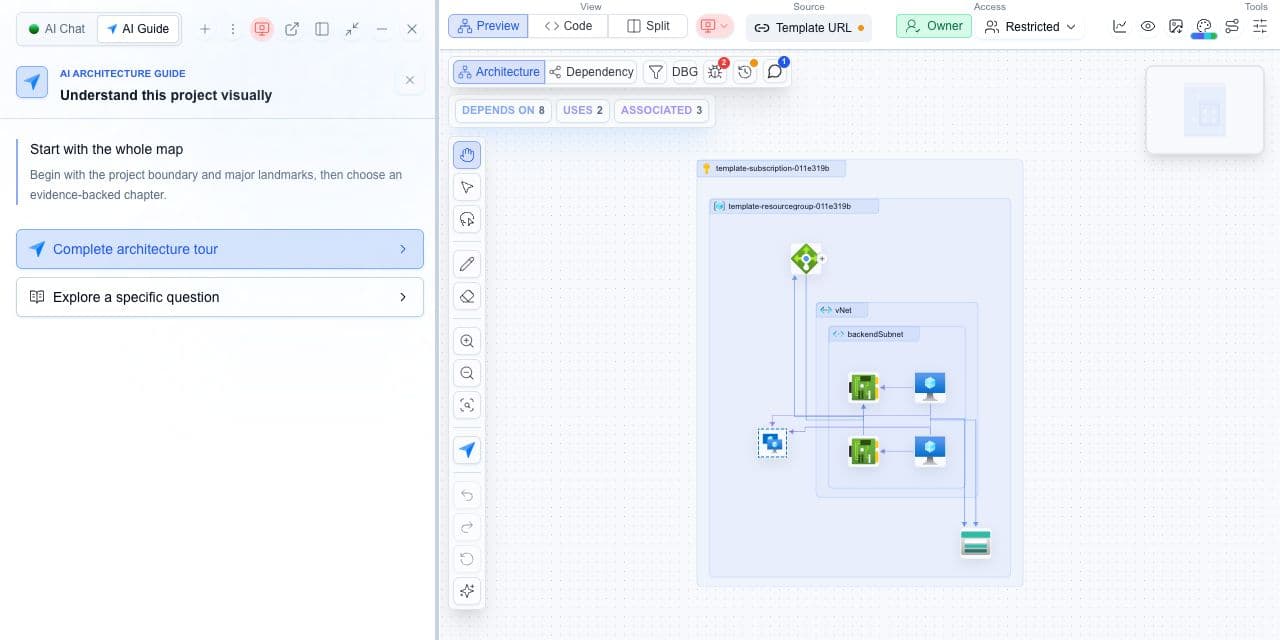
What you need
- An ARM JSON file or a GitHub template URL.
- Parameters and linked files, if your template needs them.
- A Cloudeval account to create the project.
What you get
- An architecture view of the imported resources.
- A dependency view for tracing relationships.
- Resource properties and report findings alongside your source.
Create your diagram
Start in Projects and select Create project. Choose Azure, then add the template you want to review.
- Upload your ARM JSON file or paste its GitHub URL. If you use Bicep, compile it to ARM JSON first.
- Add the matching parameters file. For linked or nested templates, include the required files and workspace configuration.
- Create the project and open its architecture diagram. Select a resource to view properties and findings, or switch to the dependency view to follow relationships.
Choose the right view
Scroll to see all columns.
| Your question | Open | What to check |
|---|---|---|
| What resources does the template define? | Architecture view | Inspect resource groups, service boundaries and resource properties. |
| Which resources depend on one another? | Dependency view | Select a resource and follow its upstream and downstream paths. |
| Which issues need investigation? | Project reports | Run the relevant report and check each finding against its source and coverage. |
Check the diagram against your template
Use the diagram to follow relationships that are difficult to see in JSON. Compare it with the source before sharing the review.
- Missing resources? Check that the parameter values and linked template files were included in the import.
- Investigating a finding? Select the affected resource, inspect its properties and follow the dependency path. Test deployed routing and access separately when those matter to the decision.
See the workflow on GitHub
Our public Azure ARM example shows how a source change becomes a review comment with validation findings, configured gates and report links. Read it alongside the changed template to understand what was evaluated.
